Make your phone easier to read.
Big Font makes all the text on your phone bigger — and puts eight simple tools for everyday life one tap away.
4.5 out of 58,000+ reviews1,000,000+ installs
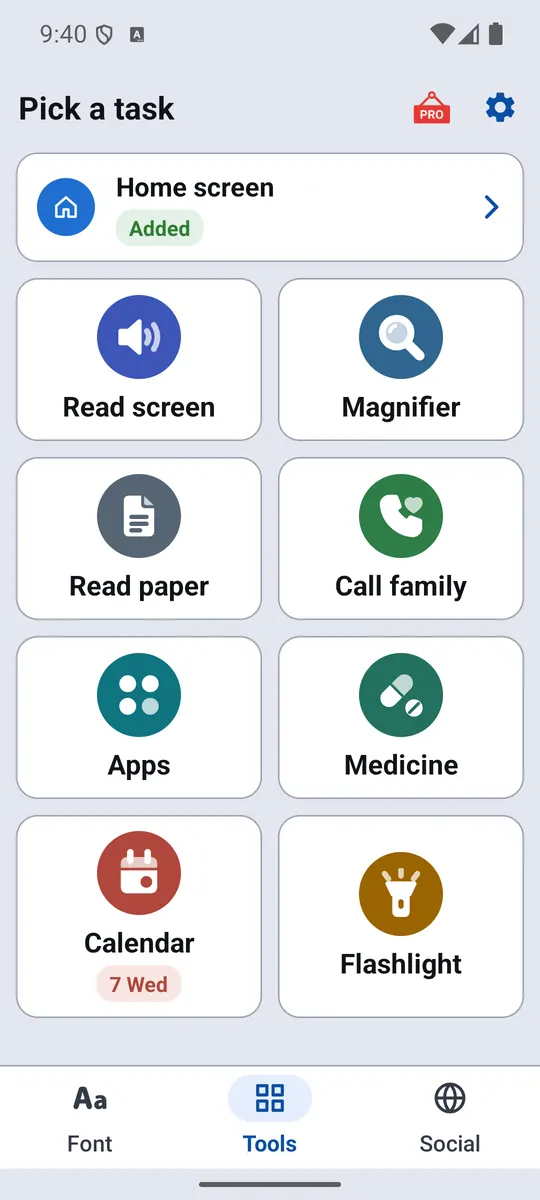
What would you like help with?
Choose the one that sounds like you.


One app. Bigger text and eight everyday tools.
Every tool has big buttons, plain words and works the same way — open it and it's ready.
 Read paper
 Apps
Apps Calendar
 Flashlight
Bigger text in three taps
No account, no sign-up. It takes about a minute.
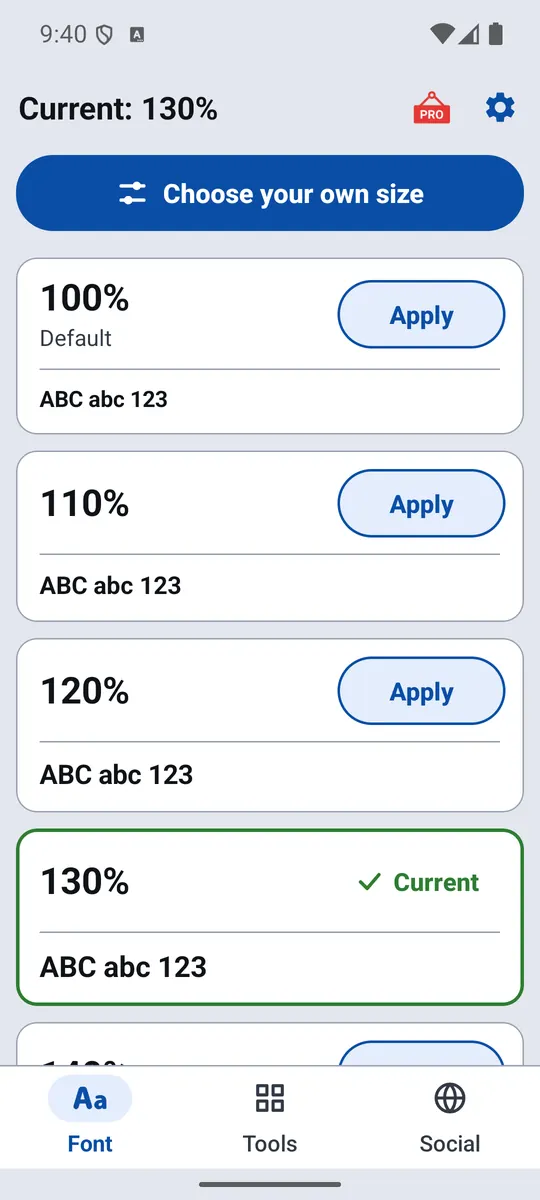
Pick a size
Every size shows a sample, so you can see it before you choose. The first time, Android asks you to allow the change — just once.
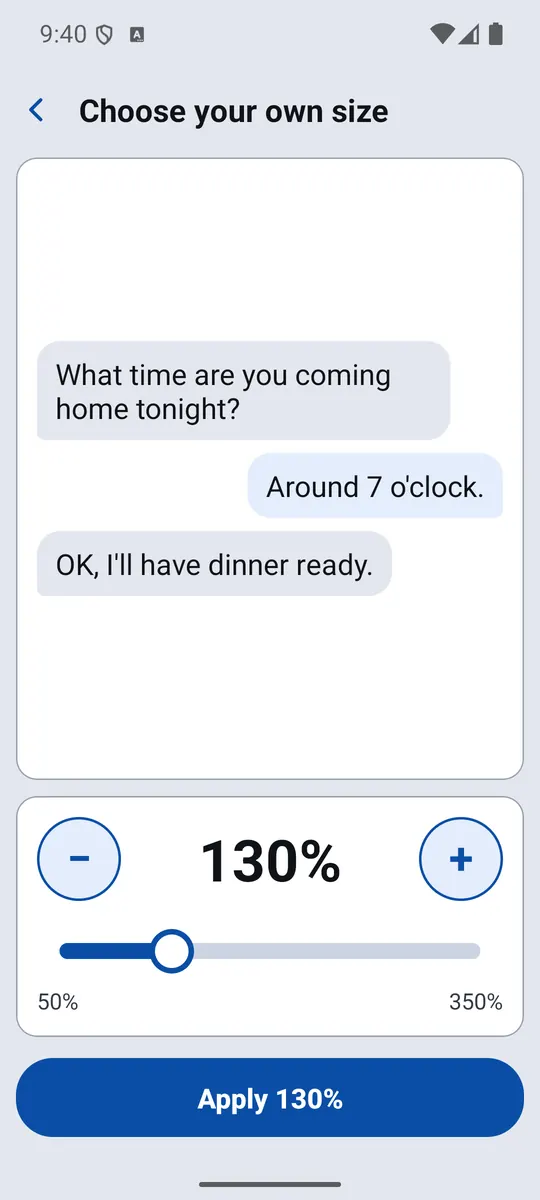
Or fine-tune it
Slide between 50% and 350% and watch a real chat message grow as you go.
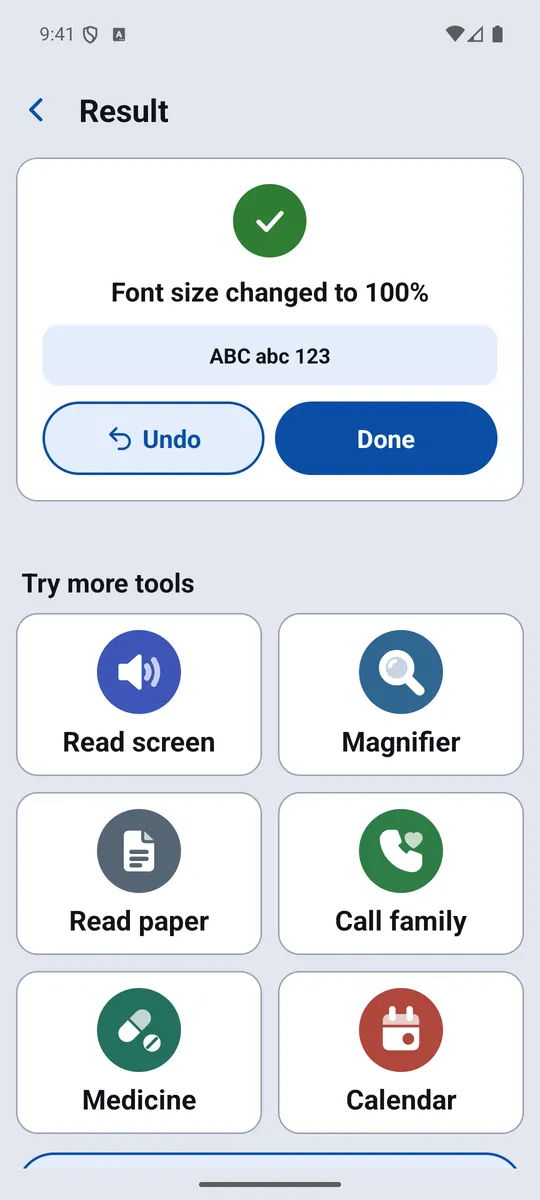
Done — undo any time
Your whole phone uses the new size. Changed your mind? Tap Undo.
What you read stays on your phone
Text that Big Font reads from your screen, and photos of letters or labels, are processed on the phone and never uploaded. Each permission is asked only when you open the tool that needs it — and you can say no and still use everything else.
What we're building next
New apps from the same team, made just as simple.

Read Messages
New Zalo, Messenger and SMS messages read out loud, so you don't have to find your glasses.
Coming soon
Big Keyboard
Large, high-contrast keys that make typing — with accents — easy again.
Coming soon
Scam Guard
Checks suspicious messages and explains the warning signs in plain words, with the help of AI.
Coming soon
Easy Home
A calm home screen with big buttons for the few things that matter, set up by family.
Coming soonHelping a parent or grandparent?
A few minutes of setup can make their phone much easier to use.
- Install Big Font and choose a size together
- Add yourself to Call family, with a photo
- Set their medicine times and put the tools widget on the home screen
Common questions
Is Big Font free?
Yes. Big Font and all eight tools are free. The app shows ads; a one-time purchase removes them. Nothing is locked behind it.
Will the bigger text work in all my apps?
Big Font changes your phone's system text size, so most apps follow it automatically. A few apps use their own fixed text size and may not change.
How do I go back to the normal size?
Open Big Font and tap 100% (Default), or tap Undo right after a change.
Which phones does it work on?
Android phones and tablets running Android 8.0 or newer.
More answers in Help, or email support@hoanio.com — a real person will reply.